When site evidence loses its time, place, and project context, it stops feeling like proof and starts turning into a debate. Lens Proof keeps that context attached from capture to verification, reports, and handoff, with Content Credentials built on the open C2PA standard and confirmed conformant at Max Assurance Level 1.
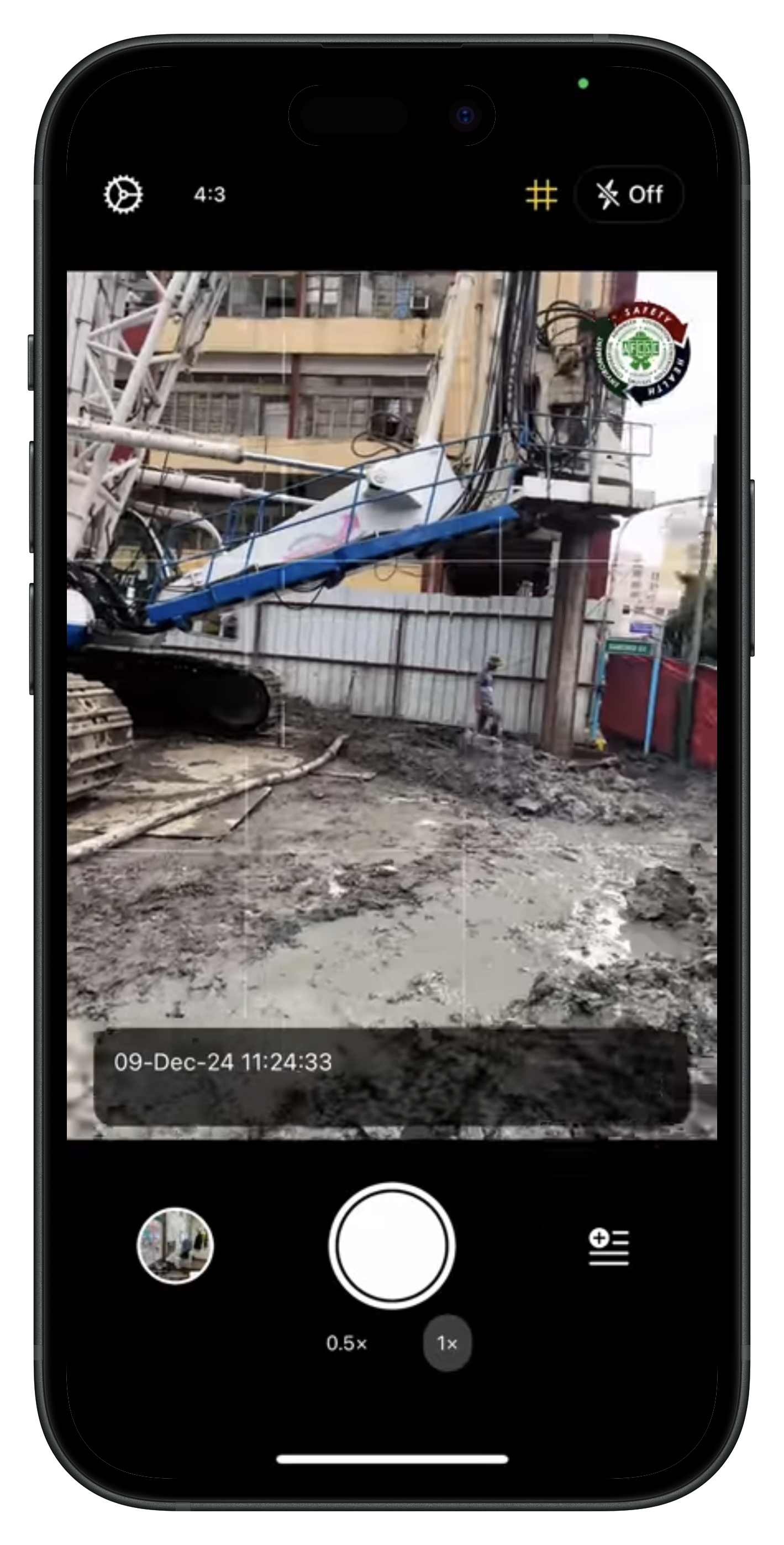
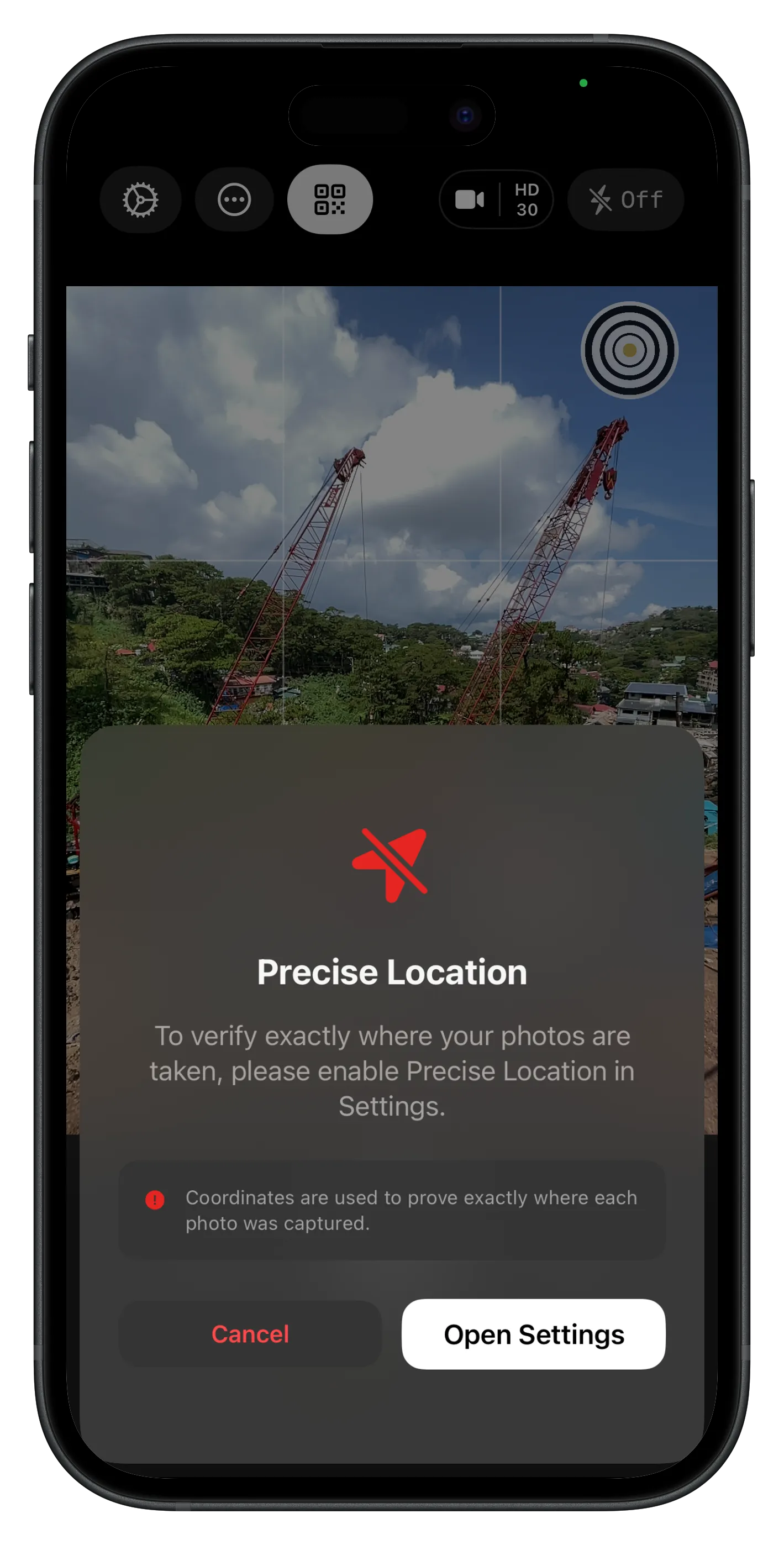
Anti-spoofing for location and time
Lens includes anti-spoofing for location and time. Without Precise Location, or with a device clock that is clearly wrong while you're online, you'll see a prompt before you can shoot. Simulated location does not count on your capture. Checks stay on your phone, not our servers, and offline capture still works.
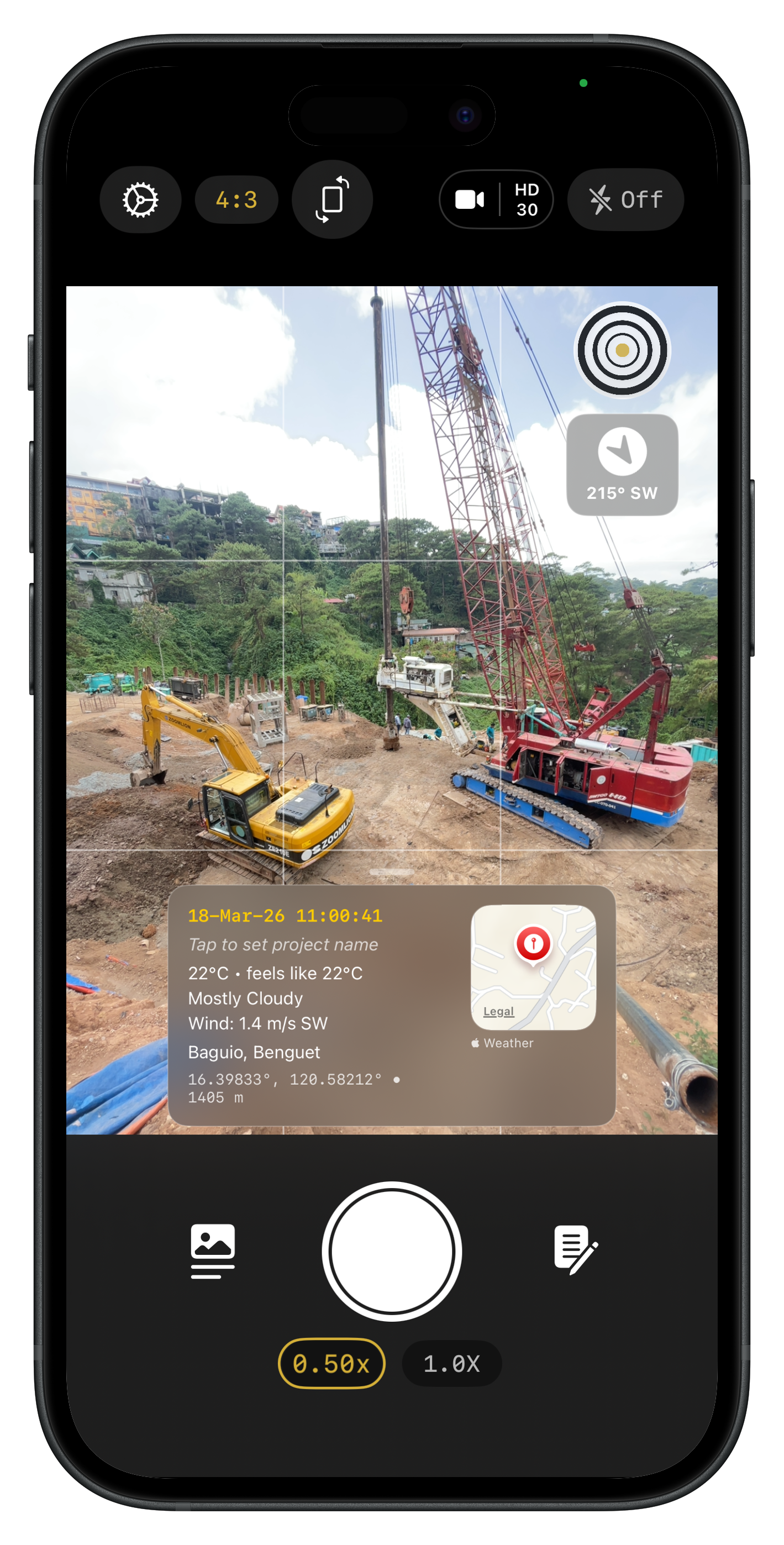
Capture everything as it happens
Photos and video with date, time, GPS, weather, and project context on every capture, so your documentation matches what you saw on site, not what you remember later.
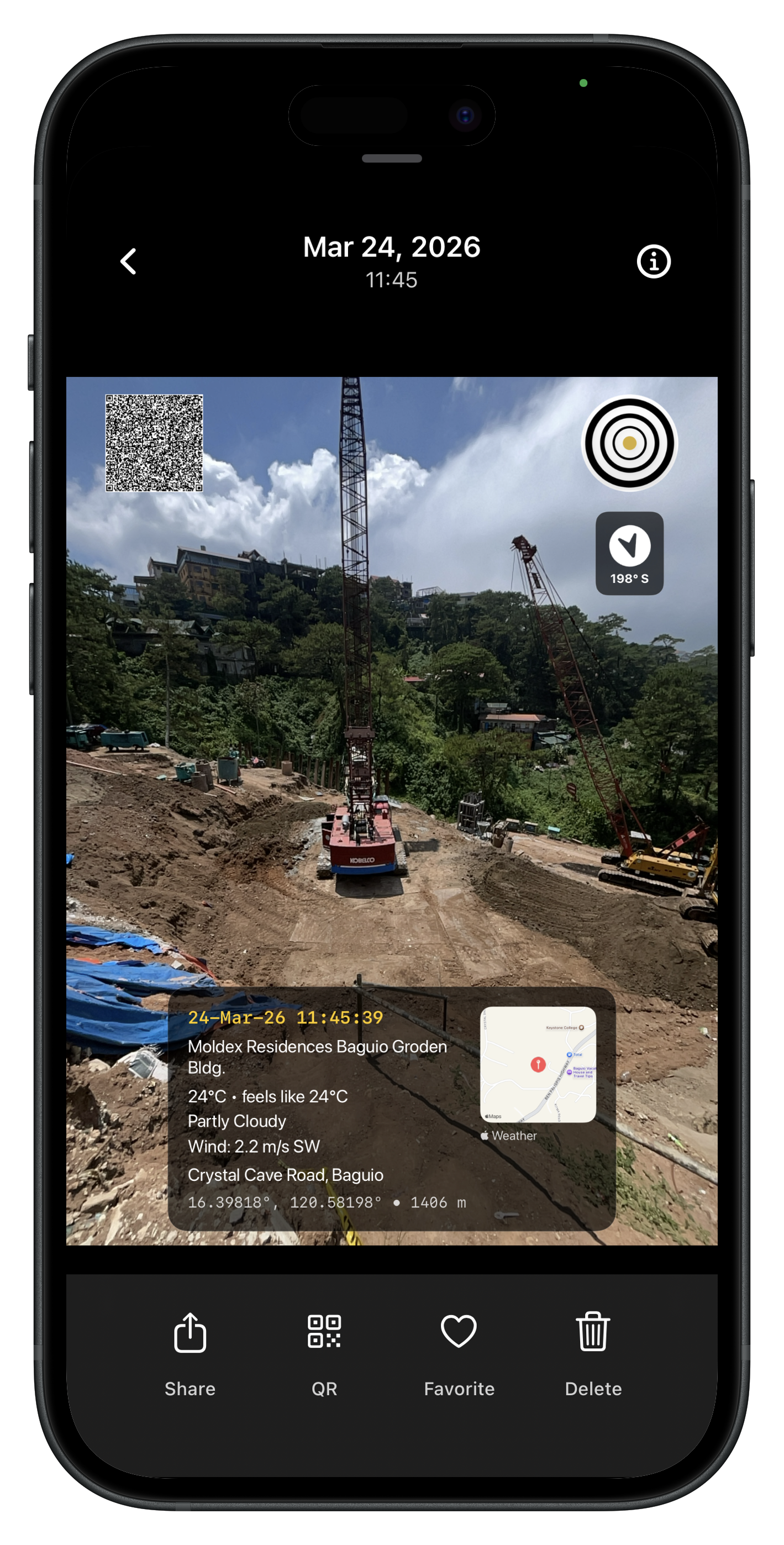
Content Credentials on the signed file
Every photo and video embeds Content Credentials in the signed file, hardware-signed in the Apple Secure Enclave. Share the original in any C2PA-compatible reader, export a compliance PDF, or turn on optional Lens QR Verification for browser review. QR links are separate from embedded credentials and do not survive most social or messaging uploads.
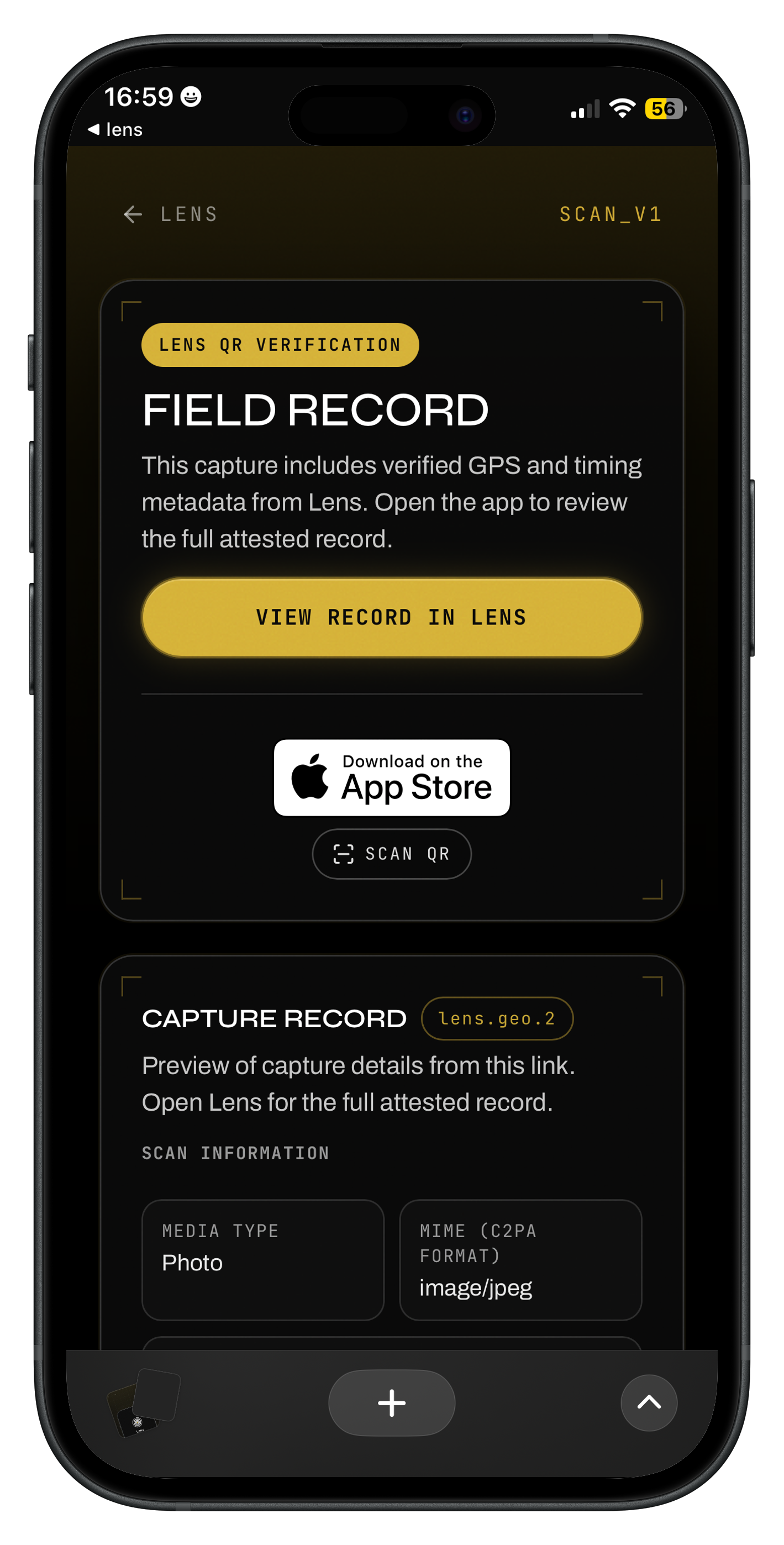
Verify anywhere, even on the web
Optional Lens QR Verification adds a scan link to exports. Stakeholders open capture context in any browser without installing the app. Share thoughtfully: scans and links can reveal time and location details. For multiple files at once, Batch QR Verification runs client-side on the web.
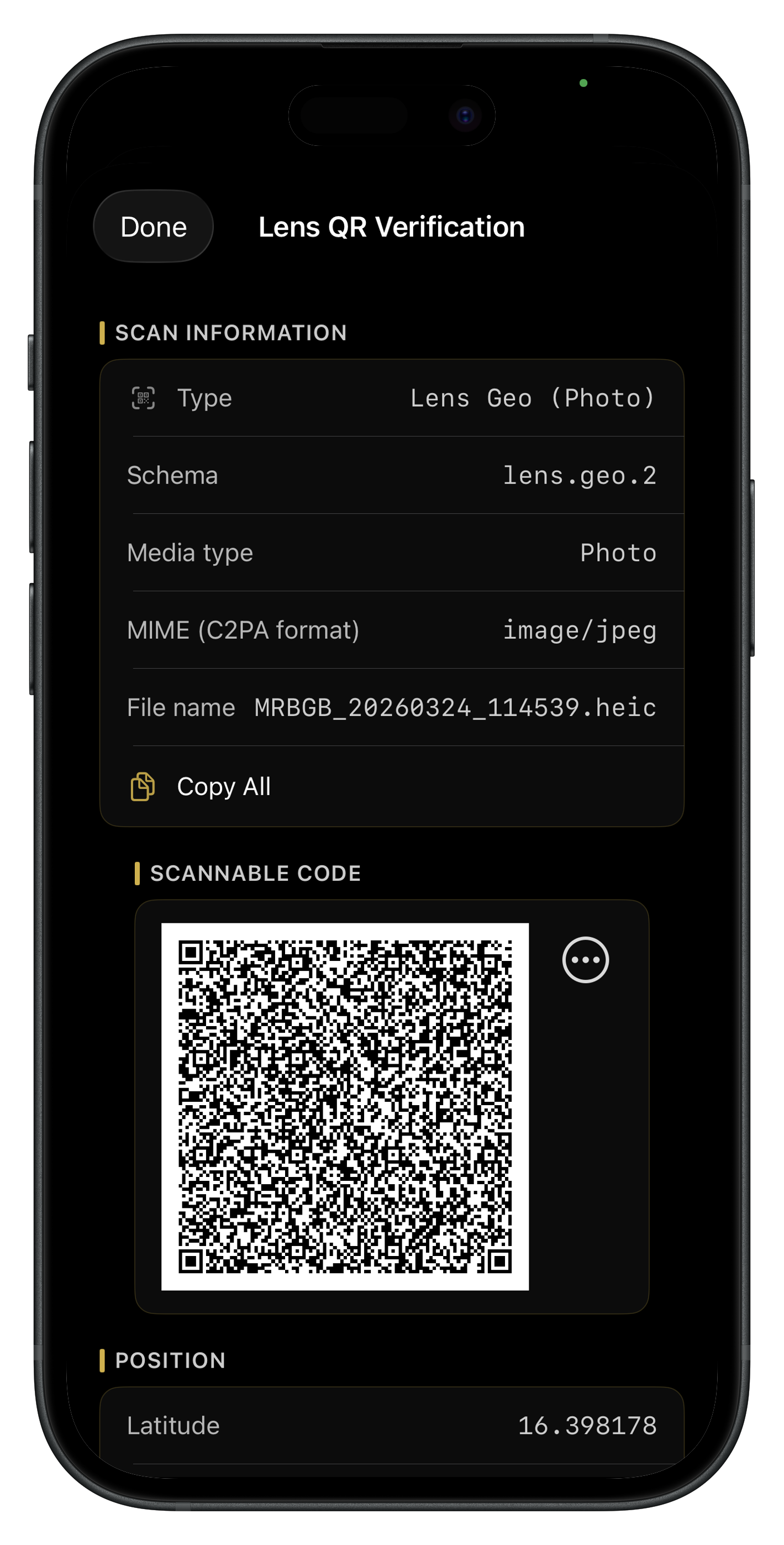
Verify every detail
Inspect Content Credentials in Lens, on verify.contentauthenticity.org, or through Lens QR Verification on the web. Each path surfaces time, location, and project metadata from the signed manifest.
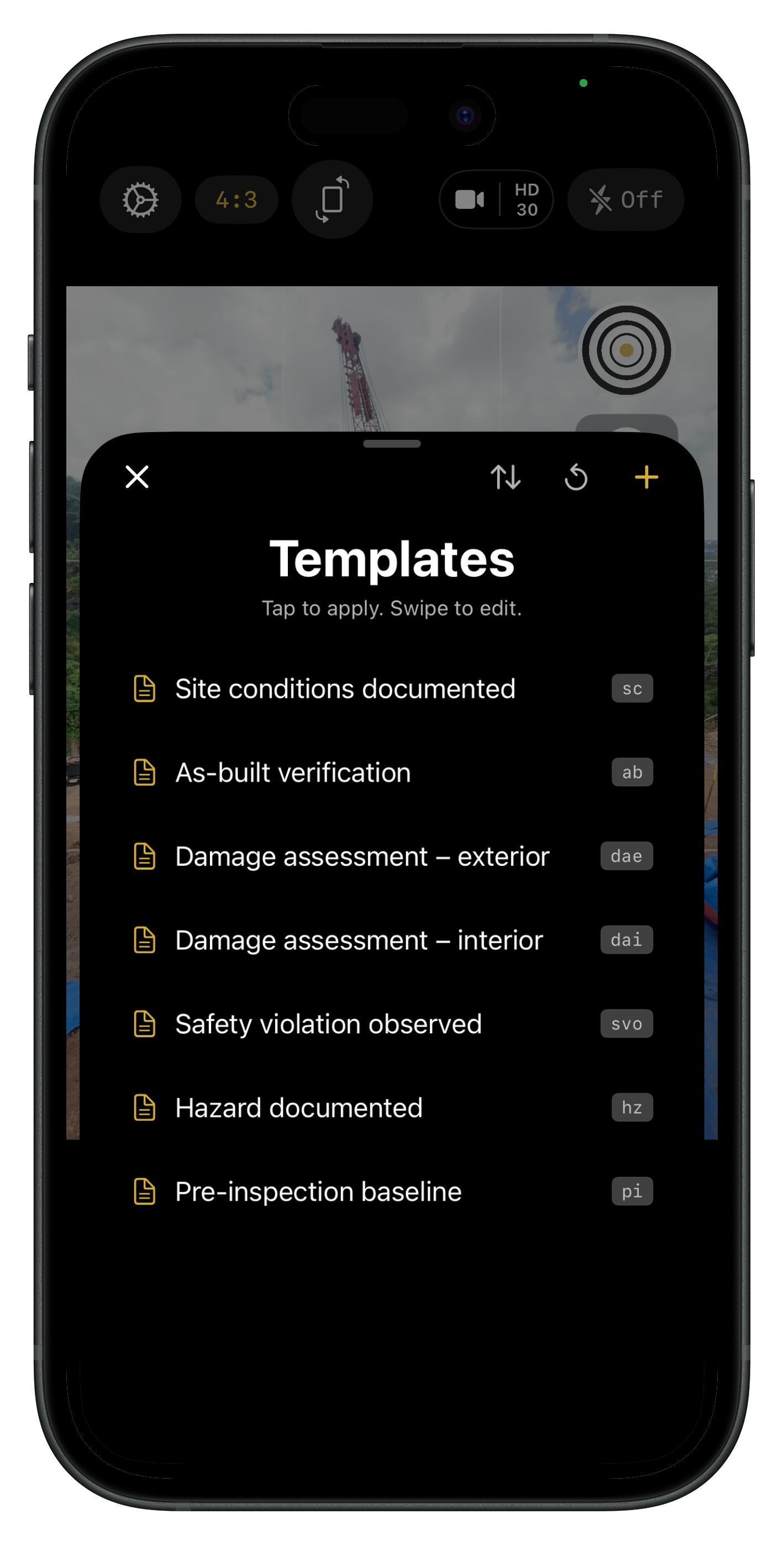
Standardize every field report
Templates keep users aligned on what to document, such as site condition, as-built checks, and damage notes, so every report reads like it came from the same playbook.
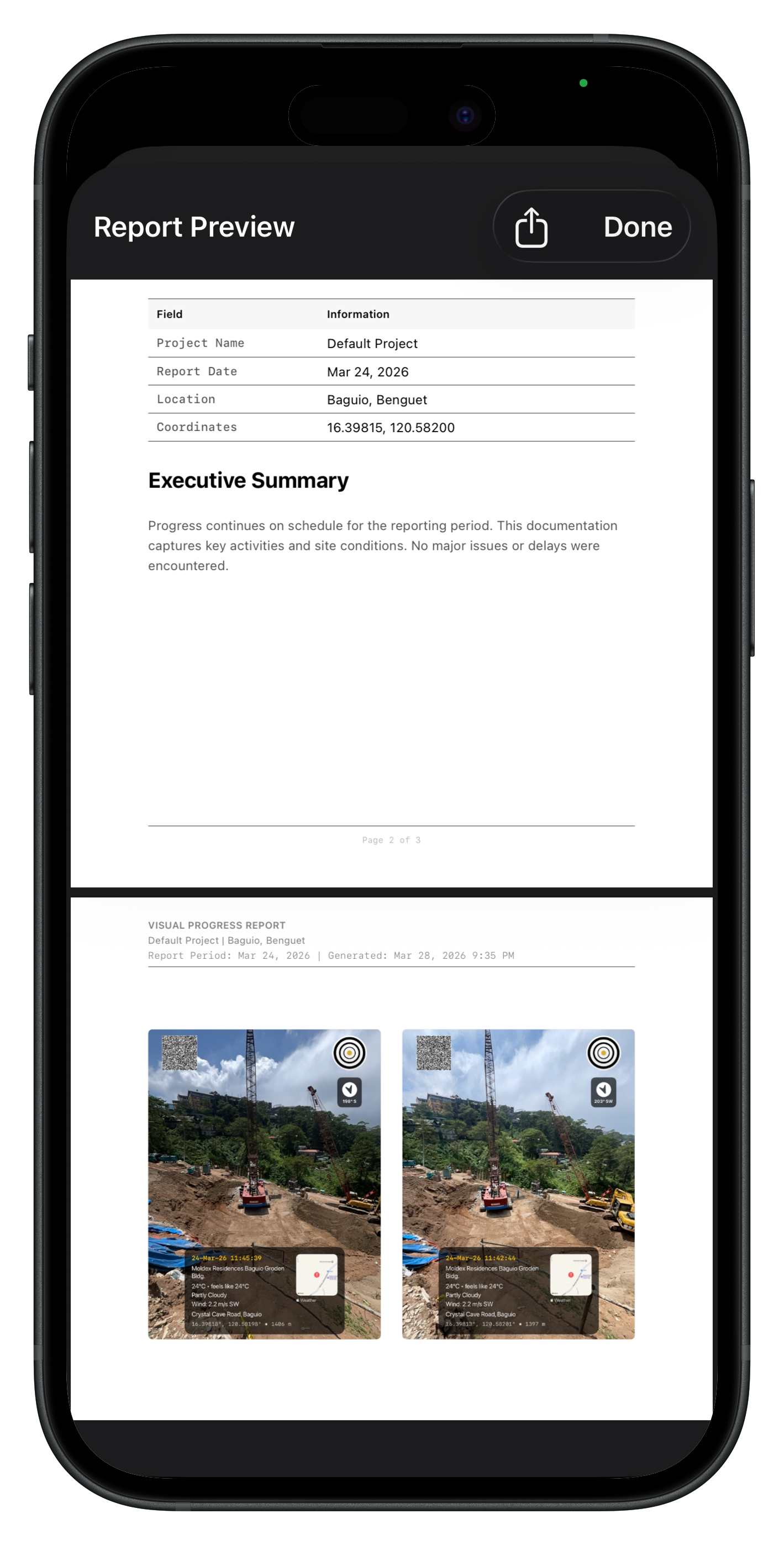
From site to report in seconds
Turn structured captures into professional output faster. Export compliance PDFs with embedded Content Credentials, generate AI field reports, and spend less time retyping when someone asks “do you have proof of that?”
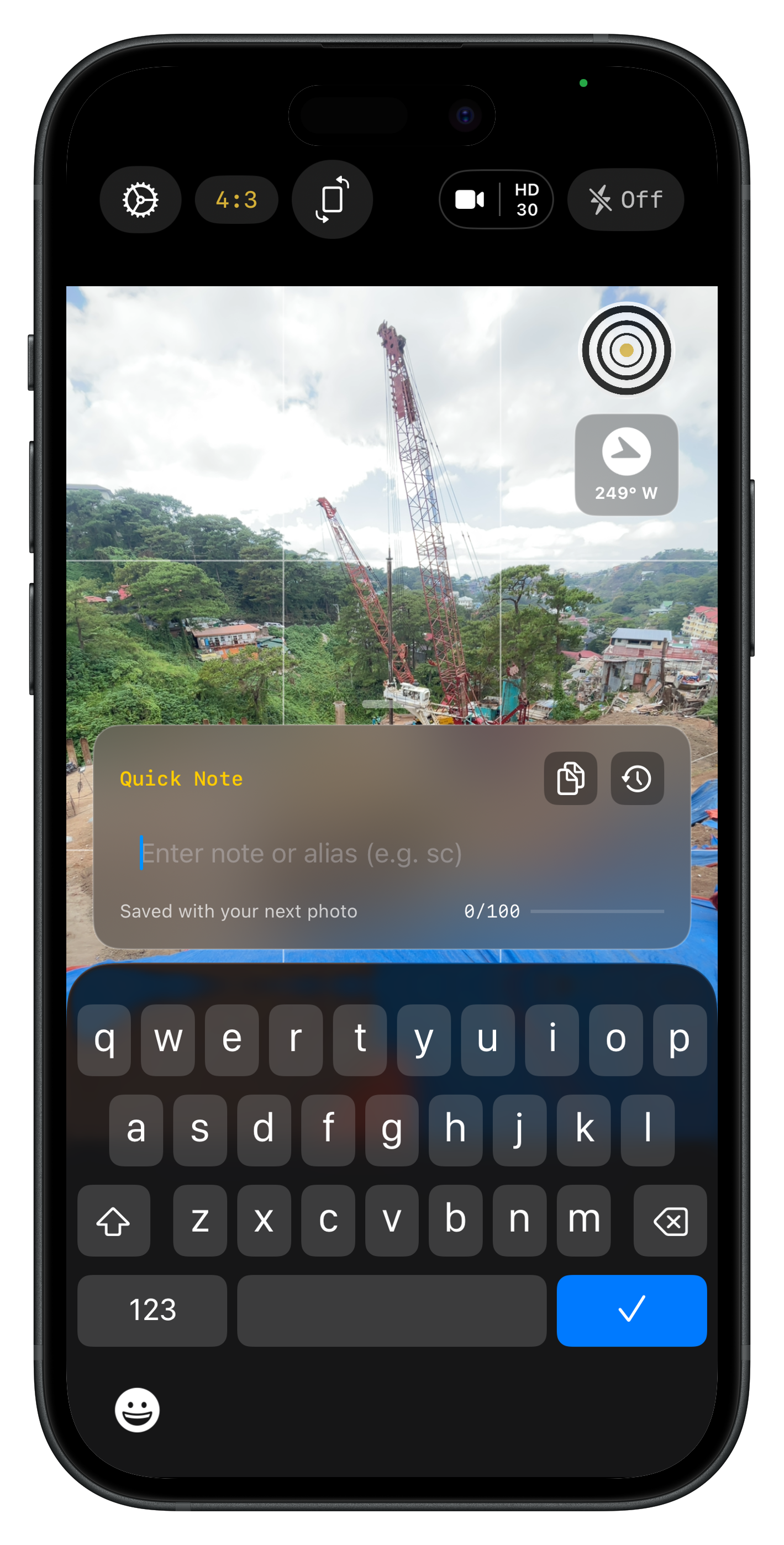
Add the note you wish you had written on site
Capture the nuance while it is fresh. Short annotations travel with the file, so reviewers see intent, not just pixels.
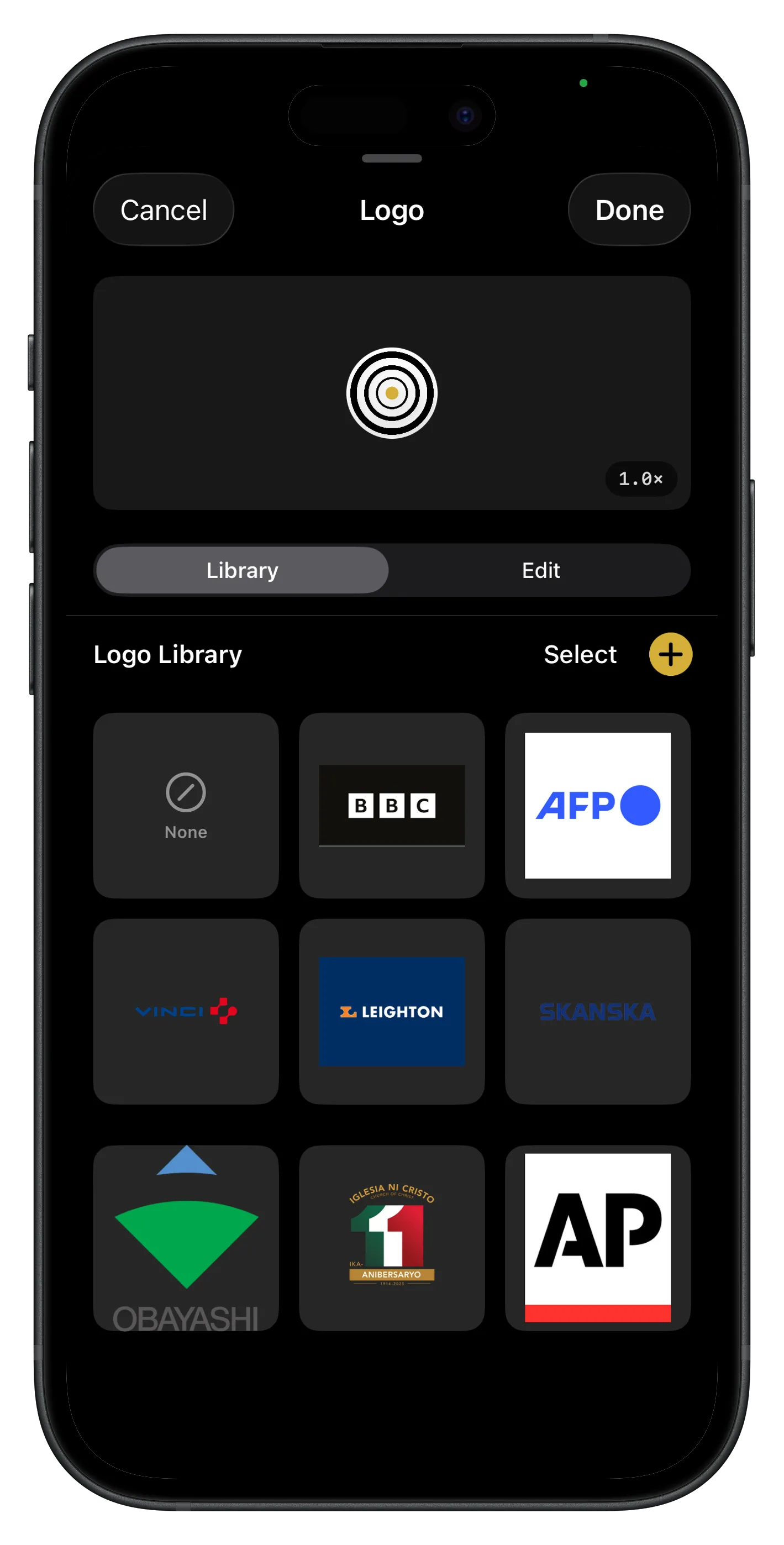
Put your logo on every capture
Keep a logo library for every client on your roster, switch marks before you shoot, and tune shape, size, and placement on the overlay, so site photos and exports look like your firm, not a stock camera app.
Try Lens on your next site visit
14-day full-feature trial. GPS, date, weather, and project context on every capture, with Content Credentials confirmed C2PA conformant at Max Assurance Level 1.


Lens FAQ
Questions about what Lens does, how verification works, and whether it fits your field workflow.